
The 5-Second Rule: Capturing the Attention of the Digital Drop-In

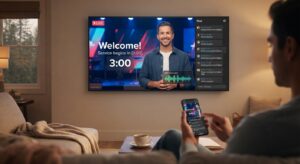
No, not that 5 second rule! I’m talking about when someone visits your physical building, they’re greeted with a friendly face, coffee, and clear signage. They feel welcomed right away.
Now, imagine a first-time visitor landing on your live stream. What do they get in their first five seconds? Often, it’s just a static wide shot of an empty stage, a silent countdown clock, and muffled hallway audio.
Online attention spans are short, and the “back button” is always one click away. If your digital drop-in doesn’t feel welcomed and oriented immediately, they’ll close the tab and keep scrolling.
1. Give Them a Warm Welcome Immediately
Don’t leave online guests staring at an empty room or a generic logo while the band tunes up backstage. Use your pre-stream window to set an intentional tone:
- Friendly Chat Moderation: Have a dedicated chat host online before the stream starts, greeting people by name as they type in.
- Engaging Visuals: Feature looping welcome videos, upcoming ministry highlights, or thoughtful graphics that let viewers know loud and clear: You are expected, and we are glad you’re here.
2. Nail the Audio from Second One
Nothing makes a viewer click away faster than dead silence followed by a jarring blast of audio—or worse, a feed where they can barely hear what’s happening. Make sure your pre-stream music or welcome loop is mixed properly, and double-check that your main service audio feed is hot and balanced the exact moment the broadcast transitions. Clean sound signals quality and care.
3. Clear, Consistent Signposting
A digital drop-in shouldn’t have to guess what’s going on. Use clean, professional lower-thirds or on-screen text to guide them through the experience:
- Display clear cues for when the service is about to begin.
- Use persistent or periodic on-screen graphics pointing them to where they can fill out an online connection card, drop a prayer request, or give.
4. Provide an Immediate Next Step for the Next 5 Minutes
Once you’ve successfully captured their attention for the first five seconds, what happens during the next five minutes?
- Frictionless Connection: Don’t wait until the very end of the service to invite people to connect. Drop a direct, clickable link to your digital connection card in the live chat within the first few minutes, and pin it to the top so it’s always visible.
- The First-Timer Concierge: Train your online chat hosts to look specifically for unfamiliar names or direct declarations like “First time watching!” and reply instantly with a warm, personalized greeting and a direct link to help them take their next step without feeling overwhelmed.
5. Optimize for Mobile and Multi-Screen Viewing
Most online guests aren’t watching your stream on a massive desktop monitor; they are tuning in on their phones while multitasking, or casting to a TV where text can easily get cut off or become unreadable.
- Check Your Safe Zones: Ensure all your lower-thirds, countdown clocks, and call-to-action graphics sit comfortably within standard mobile and TV safe zones so they never get obscured by platform UI, chat overlays, or rounded screen corners.
- Legible Typography: Use high-contrast, bold, and clean fonts. If someone has to squint to read your web address or connection link on a smartphone screen, they simply won’t bother.
6. Create a Seamless Transition from the Lobby to the Worship Experience
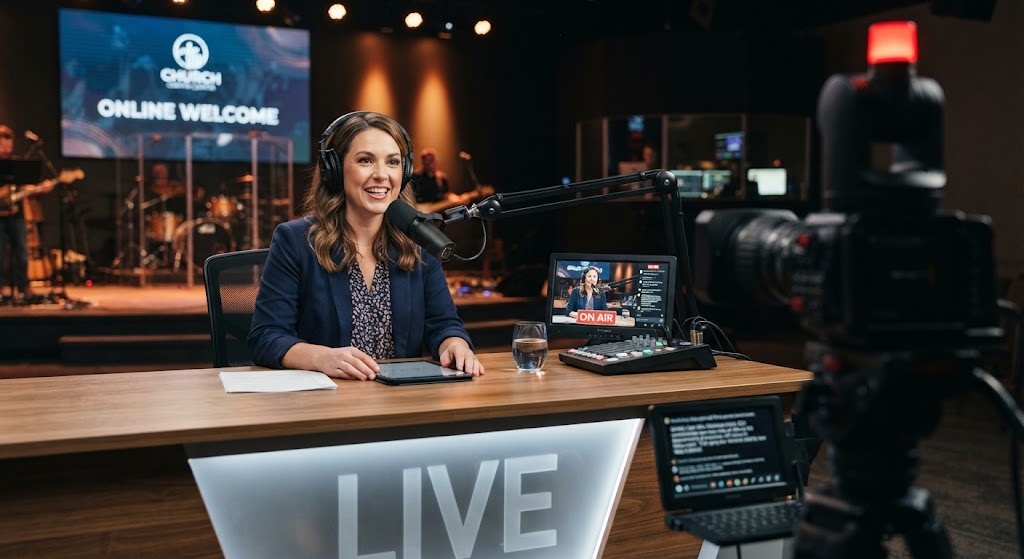
The first five seconds matter, but the handoff from your pre-stream environment to the actual start of the service is where many streams lose momentum.
- Avoid Dead Air: When the countdown hits zero, don’t let there be a 30-second awkward pause while everyone on stage looks around. Have a pre-scripted, high-energy welcome ready to go the instant the broadcast begins.
- Designate an “On-Air” Anchor:
- Don’t leave the opening moments to chance or expect the lead pastor to be scrambling to grab their mic while walking onto stage.
- Have a dedicated service host (either on a stage confidence monitor, a cozy studio set, or standing right at the front) whose sole job is to welcome the online audience the microsecond the stream goes live. They serve as the bridge from the pre-stream chat and music straight into the service.
- Help the “Late Arriver”: Remember that people stream services on a delay or join late. Incorporate a quick mid-stream re-welcome or verbal orientation roughly 10–15 minutes into the service so that anyone dropping in late immediately understands what’s happening and where to plug in.
The Bottom Line
Your online campus isn’t just a broadcast of a room; it’s a front door. When we design those opening moments with the online viewer in mind, we communicate value, hospitality, and intentionality before a single note of music is even played.
How does your team handle the pre-service window? Take a look at your stream archive from this past Sunday and watch just the first 60 seconds. What impression is your digital front door leaving?
At StreamingChurch.tv we are ready to help you, even with live support onj Sunday mornings! You can also schedule a time with Phil Thompson for help with anything. Just click here.