
Preparing Your Live Stream for the Biggest Services of the Year: Christmas!

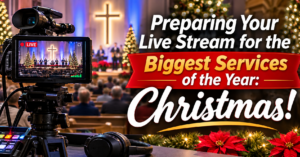
Yikes! As the holiday season approaches, churches everywhere are preparing for one of the most well-attended times of the year. Christmas services draw high attendance both in the sanctuary and online, with family members tuning in from across the country, travelers joining on mobile devices, and newcomers seeking out Christmas Eve services online.
To ensure your ministry’s live stream runs smoothly without unexpected hitches, here is a practical prep checklist for your tech team.
1. Plan for Higher Online Viewer Capacity
Christmas Eve and Christmas weekend typically see significant spikes in online viewership.
- Verify Your Setup Early: Run a complete test run during your early December services to confirm your stream handles high-demand peak times without issues.
- Communicate Your Schedule: Make sure your StreamingChurch.tv service times, countdown clocks, Auto DVR settings and custom graphics are updated well in advance so online attendees know exactly when to tune in.
2. Double-Check Your Network & Hardware
With larger crowds in the building, local network traffic can spike unexpectedly.
- Stay Hardwired: If your encoder or streaming computer is using Wi-Fi, switch to a dedicated, hardwired Ethernet connection for holiday services to avoid interference from guest mobile devices.
- Isolate Tech Traffic: Ensure your streaming computer is on a dedicated VLAN or network subnet separated from public guest Wi-Fi.
3. Optimize Audio for Special Musical Elements
Christmas services often feature unique audio dynamics—from full choir arrangements and acoustic candlelit solos to brass ensembles and children’s programs.
- Adjust Dynamic Range: Ensure your audio levels account for both soft spoken-word moments and loud, full-stage musical performances to prevent audio clipping or distortion on the stream.
- Run a Dedicated Audio Rehearsal: Capture audio during the midweek dress rehearsal specifically to check how the mix translates to web audio (headphones and TV speakers).
4. Prepare Your Volunteers & Backup Plan
Holiday schedules can be busy for volunteers, so preparation and redundancy are essential.
- Create a Holiday Cheat Sheet: Distribute a simplified, step-by-step guide for booting up the encoder, starting the stream, and switching camera angles so substitute volunteers can step in seamlessly.
- Have a Backup Stream Target: Ensure your secondary recording or local archival workflow is active in case an internet disruption occurs locally.
We’re Here to Help You Succeed This Season
Don’t wait until Christmas Eve to test new equipment or update your workflow! If you need help reviewing your encoder settings or optimizing your StreamingChurch.tv portal setup before the holidays, contact our support team at [email protected] or join us in live support.
Wishing you and your tech team a smooth, stress-free holiday streaming season!