
Single-Camera vs. Multi-Camera: How to Upgrade Your Sanctuary Setup Without Overspending

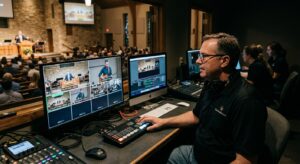
For church tech directors and broadcast teams, few decisions impact the online worship experience as noticeably as camera setup. Moving from a single, static camera view to a multi-camera production can elevate your live stream, making remote viewers feel truly connected to the sanctuary.
However, transitioning to a multi-camera setup often brings worries about sky-high hardware costs, complex cable runs, and overwhelming volunteer learning curves.
The good news? It’s no longer 2009, upgrading your sanctuary setup doesn’t require a commercial studio budget. By understanding the core strengths of single-camera production and taking a phased, strategic approach to multi-camera gear, you can build a clean, dynamic broadcast that honors both your ministry vision and your stewardship goals.
The Single-Camera Setup: Maximizing What You Have
Before adding hardware, it’s worth evaluating whether your current single-camera setup is operating at its full potential. A well-configured single PTZ (Pan-Tilt-Zoom) camera can often deliver a surprisingly versatile experience.
Getting the Most Out of One Camera
- Preset Views: Modern PTZ cameras allow you to store preset camera positions (e.g., wide altar shot, close-up pulpit, band framing). By transitioning between presets during moments when the speaker or team is stationary—or while cutaway slides are on screen—you can simulate a multi-shot look without extra cameras.
- Framing & Depth: Avoid placing your single camera directly in the center aisle at eye level if it creates a flat background. Framing from a slight elevation or off-center angle can add depth and warmth to your sanctuary feed.
- Crisp Board Audio: As we always say, viewers will forgive modest video resolution far quicker than poor audio. Ensure your camera feed is paired with a direct, clean mix from your sound console rather than relying on an ambient room microphone.
When Is It Time to Upgrade?
A single camera works remarkably well for teaching, announcements, and smaller services. However, you might be ready for a multi-camera setup if:
- Worship dynamics feel static: Wide shots capture the stage, but miss the intimacy of a vocal solo or instrumental moment.
- Key moments are missed: Moving speakers or multiple presenters cause awkward pan-and-tilt tracking adjustments live on air.
- Engagement drops during transitions: Long cuts without visual variety can lead to viewer fatigue on mobile screens and home displays.
The Smart Multi-Camera Upgrade Path
Upgrading doesn’t mean purchasing four high-end studio rigs overnight. Here is a practical, cost-conscious roadmap to expand your setup step-by-step.
Step 1: Add a High-Impact Second Camera
Adding just one secondary camera transforms your production from a passive feed into a broadcast.
- The “Master & Tight” Strategy: Keep Camera 1 focused on a steady, wide-angle sanctuary view (ensuring online viewers always have context). Dedicate Camera 2 as a tight/medium shot on the pastor or worship lead.
- Alternative Angles: Position your second camera off-axis (30 to 45 degrees from center) to provide natural perspective changes when switching angles.
Step 2: Choose the Right Switching Hardware/Software
Connecting multiple cameras requires a reliable switching engine. Match your choice to your volunteer team’s comfort level:
| Option Type | Popular Tools | Key Advantage | Best For |
| Hardware Switchers | Blackmagic ATEM Mini series, Roland V-80HD | Tactile buttons, low latency, highly stable | Volunteer teams who prefer physical buttons over mouse clicks |
| Software Switchers | vMix, OBS Studio, Wirecast | High flexibility, custom lower-thirds, graphic overlays | Rigs with dedicated PC hardware and experienced operators |
| All-in-One Encoders | YoloBox series, Epiphan Pearl, Magewell | Compact, minimal cabling, built-in encoding | Portable setups or smaller tech booths with limited space |
Keeping Upgrade Costs Down
- Leverage NDI or IP Streaming: If running long HDMI or SDI cables through your sanctuary is cost-prohibitive, explore NDI (Network Device Interface). Streaming video over your church’s local Ethernet infrastructure can save hundreds of dollars in custom wiring.
- Mix-and-Match Equipment: You don’t need identical cameras across the board. Use higher-quality optics for your main pulpit/stage shot and budget-friendly PTZ or camcorder units for secondary wide/crowd angles.
- Train Volunteers on Shot Discipline: Equipment only accounts for half the equation. Teach operators simple rules: never move or zoom while your camera is live on air, and always frame shots with comfortable headroom.
Bringing It All Together
Upgrading your sanctuary’s video capabilities isn’t about creating a flashy performance—it’s about removing visual distractions so your message reaches online worshipers clearly and effectively.
By starting with keyframe and preset optimization on your primary camera, adding a dedicated secondary angle, and utilizing a simple multi-destination stream manager like StreamingChurch.tv, your team can deliver a seamless Sunday morning worship experience on any budget.
Reach out to Phil Thompson and set up a time to meet that is convenient for you. Schedule a time here.